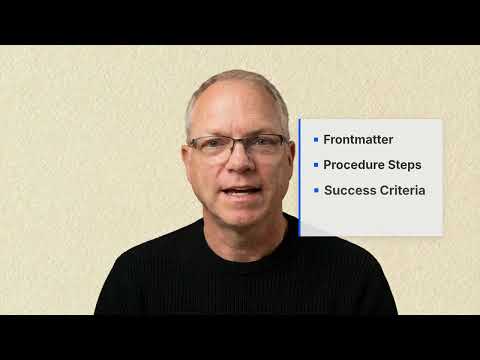
MemberPress AI Academy memberpress.ai

Courses

Skills as Standard Operating Procedures

Treat skill files as factory SOPs — institutional memory written down so anyone, human or agent, can run the procedure.

intermediate4h 37m11 lessonsTaught by Seth Shoultes

Overview

The next layer of the agentic economy is not more agents — it is procedures made installable. Learn to write, package, and distribute AI skills as markdown SOPs that any agent can read and execute.

What You Will Learn

About This Course

This course is drawn from the "Skills as SOPs" essay on sethshoultes.com. It treats the skill file as the modern successor to the factory SOP — institutional memory fixed in writing so the work is repeatable, by humans or by agents.

Source Material

FoundationsWhat a Skill Is

1. The laminated card on the wall 20 min

Lesson notes

You have watched a capable person leave a job and take the entire process with them. Their successor asks the same questions, makes the same mistakes, and rebuilds the same mental model from scratch. That is the friction this lesson removes.

What this actually is

A "skill" in this course is a procedure made portable. The comparison that holds up is the laminated card on the factory floor: "Step 1: Check the gauge. Step 2: If red, stop the line. Step 3: Call maintenance." Not a policy document. Not a training manual. A card. Specific enough to follow without interpretation.

The laminated card works because it strips away everything that requires judgment and leaves only the steps that must happen in the right order. A person who has never worked the floor before can read the card and not ruin the machine. That is the design goal.

Why this maps directly to agent work

An AI agent does not have tacit knowledge. It has no memory of the last time this went wrong. Every session it starts fresh. The laminated card model is not a metaphor for agent skills — it is the engineering requirement. If the skill file does not say it, the agent does not know it.

Consider a deploy procedure that a senior engineer carries in their head: run tests, check the environment flag, tag the release, run the migration, deploy, verify the health endpoint, then and only then post to the team channel. Seven steps, and the order of steps five and six matters because the migration can take ninety seconds and the health check will fail if you run it during that window.

If you hand that procedure to a new hire as a verbal summary, you will get a failed deploy on their second week. If you write it as a numbered skill file with the timing note embedded in step five, the new hire gets it right. The agent gets it right too, for the same reason.

The shift in what matters

The bottleneck in most teams is not intelligence. The engineers are smart. The agents are capable. The bottleneck is procedure: the implicit knowledge about what order things happen, what to watch for, and what to do when the expected thing does not happen.

A skill file externalizes that procedure. Once it is written, the senior engineer's knowledge belongs to the organization instead of to one person. A new agent can load the skill in seconds. A new human can read it in five minutes.

Walk-through

Here is the minimal viable skill file for the deploy scenario above:

# scripts/deploy.md

---
name: deploy-production
description: Deploy main branch to production
version: 1.0.0
---

## Procedure

1. Run `npm test` — must exit 0 before proceeding
2. Confirm `DEPLOY_ENV=production` is set in the environment
3. Tag the release: `git tag v$(date +%Y%m%d.%H%M)`
4. Run the migration: `npm run db:migrate`
5. Wait 90 seconds for migration to complete before step 6
6. Deploy: `npm run deploy`
7. Check health: `curl -f https://yourapp.com/healthz`
8. Post to #deployments: "Deploy complete — version [tag]"

## Gotchas

- If step 7 returns non-200 within 3 minutes, run `npm run deploy:rollback` immediately
- If the migration fails, do not proceed — notify #on-call

That file is not complicated. The value is not in any individual step — it is in the fact that the timing constraint in step five is written down, and the rollback trigger in the gotchas is explicit rather than assumed.

If you get stuck

If the skill file exists but the agent skips steps: the file is probably too long and the agent is summarizing. Break it into two files — one for the happy path, one for failure handling — and load both.

If you cannot decide how granular to make steps: write for someone on their first day. If they would have to guess, the step is too coarse.

If a step depends on context that changes (a URL, a version number, a team name): use a placeholder convention like {{DEPLOY_URL}} and document the substitution at the top of the file.

Deliverable

A single skill file that captures a procedure you currently carry in your head. The success criterion: hand the file to a colleague who has never done this task, and they can complete it without asking you a question.

Further reading

This lesson is drawn from the essay "Skills as SOPs" on sethshoultes.com — the longer-form argument for why factory SOPs are the right ancestor for agent skill files. The full installable Skills library lives at sethshoultes.com/skills/ (source: github.com/sethshoultes/building-with-ai-skills).

Try these prompts

  • Write a skill file for deploying a static site. Include a name, description, version, numbered procedure steps, and a gotchas section with at least two entries.
  • Take this informal procedure and rewrite it as a numbered skill file: "Run tests, merge the PR, tag the release, then ping the team in Slack."
  • A senior engineer carries the deploy procedure in their head. Write a skill file that captures it so a new hire can follow it correctly on day one.

Back to contents

2. From factory floor to agent context 22 min

Lesson notes

The factory SOP hung on a wall. The agent skill lives in a context window. The medium changed; the engineering problem did not. This lesson maps the differences so you know which ones actually matter.

What this actually is

A "skill" in the agent context is executable instructions loaded into Claude's working memory before a task begins. When you run npx skills add deploy-production, the skill file is injected into the system prompt and Claude has access to every step, every conditional, and every gotcha before you type a single word.

The factory card and the agent skill share the same design requirement: explicit enough that the reader — human or model — does not need to infer anything. But the agent skill has three additional constraints the paper card does not.

What is different

The factory SOP assumes a human reader with common sense, pattern recognition, and the ability to ask a supervisor when something looks wrong. An agent skill assumes none of those things.

No inference. If the step says "check the database," the agent will check something called a database. If you meant a specific table in a specific schema, say so. "Check the users table in production_db — row count should be greater than zero" is a step. "Check the database" is an ambiguous instruction.

No memory across sessions. Every time an agent loads a skill, it starts from the beginning. You cannot write "as we discussed last time" in a skill file. The skill must be self-contained.

Conditional logic must be explicit. A human SOP can say "if something looks wrong, use judgment." An agent skill must enumerate the conditions. "If the API returns a status code other than 200 or 201, stop and report the status code and response body" is something the agent can act on.

What is the same

The order problem is identical. If step four depends on step three, that dependency must be stated. The agent is not smarter than a new hire about implicit sequencing — it will run step four first if you leave the order ambiguous.

The gotchas problem is identical. The most valuable part of any SOP is the failure handling section. On the factory floor this is "if the pressure drops below X." In an agent skill this is "if the build fails with exit code 1, run npm run clean and retry once before reporting failure."

Walk-through

Here is the same task expressed as a factory SOP versus an agent skill. The difference in specificity is the point.

Factory SOP (written for a human):

3. Upload the report to the shared drive.

Agent skill (written for Claude):

3. Upload `reports/weekly-summary.csv` to Google Drive folder `Team Reports / Weekly`.
   - Use `gdrive upload --parent 1aBcDeFgHiJkLmNoP reports/weekly-summary.csv`
   - Confirm upload succeeded: command should print "Uploaded [filename]"
   - If it fails with "permission denied," the service account token may have expired — report the error and stop

The human reader of step three knows what "the shared drive" means, which file to upload, and what success looks like. The agent needs all of that written out.

If you get stuck

If the agent executes the wrong step or skips a step: add sequence numbers and re-read the file for ambiguous pronouns ("it," "this," "the file"). Replace pronouns with specific nouns.

If the agent handles an error incorrectly: find the step where the error can occur and add an explicit conditional. "If X, then Y. If not X, continue."

If the skill file is getting long: split it. A skill over thirty steps is two skills. Split at the natural boundary and list the dependency in each file's frontmatter.

Cross-reference

L3 (Anatomy of a skill file) covers the structural conventions — frontmatter, procedure section, gotchas section — that make a skill machine-parseable as well as human-readable.

Deliverable

Take an SOP you already have — a team wiki page, a Notion doc, a README — and rewrite one section of it as an agent skill. The success criterion: the steps are specific enough that replacing every pronoun with a proper noun makes no ambiguity appear, because there are no pronouns left to replace.

Try these prompts

  • Rewrite this factory SOP step for an agent skill — make it specific enough that no inference is required: "3. Upload the report to the shared drive."
  • A skill file step says "check the database." Rewrite that step so the agent knows exactly what to check, what success looks like, and what to do if it fails.
  • Take a wiki page or Notion doc you have and rewrite one section of it as an agent skill step. Replace every pronoun with a proper noun.

Back to contents

3. Anatomy of a skill file 20 min

Lesson notes

A skill file that works in your head is not the same as a skill file that works in Claude's context window. The difference is structure. This lesson names the parts and explains why each one earns its place.

What this actually is

A skill file has three sections: frontmatter, procedure, and gotchas. That is the full anatomy. Nothing else is required, though some skills add a "prerequisites" section for dependencies. The format is Markdown with YAML frontmatter — human-readable, version-controllable, and parseable without a special parser.

Frontmatter

The frontmatter is metadata that the skill registry (and Claude) read before executing anything. The minimum viable set:

---
name: deploy-website
description: Deploy the marketing site to GitHub Pages from the main branch
author: Seth Shoultes
version: 1.0.0
---

The description field matters more than any other. When Claude loads a skill, the description is what it uses to decide whether this skill applies to the current task. Write it as a single sentence that completes: "This skill is for when you want to…" Then cut the first four words.

Optional fields that add real value:

dependencies: [check-env, run-tests]
triggers: [deploy, ship, go live]

dependencies lists other skills that must be loaded first. triggers are phrases that cause Claude to suggest this skill automatically. Both are hints to the skill loader, not hard constraints.

Procedure

Numbered steps, one action per step, with a success criterion for any step where failure is possible:

## Procedure

1. Confirm you are on the `main` branch: `git branch --show-current` should print `main`
2. Pull latest: `git pull origin main`
3. Run tests: `npm test` — must exit 0
4. Build: `npm run build` — output appears in `dist/`
5. Deploy: `npm run deploy:gh-pages`
6. Verify: open `https://yourname.github.io/yourrepo/` and confirm the page loads

The success criterion in step three ("must exit 0") and step six ("confirm the page loads") are not decoration. They are the checkpoints that tell the agent when to continue and when to stop.

Gotchas

The gotchas section is where the skill earns its value over a simple checklist. It is the "when things go wrong" section — and for an agent, it is the only place where failure handling is explicit:

## Gotchas

- **Deploy fails with "fatal: not a git repository"**: You are not in the project root. Run `git rev-parse --show-toplevel` to find it, then `cd` there.
- **Test failures in step 3**: Do not proceed. Fix the failing tests or stop and report.
- **Page loads but shows old content**: GitHub Pages caches aggressively. Wait two minutes and hard-reload (`Cmd+Shift+R`).

Each gotcha follows the same pattern: the exact symptom, then the exact recovery. Vague gotchas ("if something goes wrong, check the logs") are not useful. The agent cannot act on them.

Why Markdown + YAML

The format is not arbitrary. Markdown is what Claude reads fluently. YAML frontmatter is what skill loaders parse without a schema. The combination means the same file works for human review in a text editor, for skill registry indexing, and for Claude's context window. One file, three uses.

If you get stuck

If Claude ignores the gotchas section: the section header may be missing or misspelled. The parser and Claude both look for ## Gotchas or ## Failure Modes as the section anchor.

If the frontmatter causes a parse error: validate it with python3 -c "import yaml; yaml.safe_load(open('skill.md').read().split('---')[1])". Common culprit is an unquoted colon in the description field.

If a step is ambiguous about who does it (human or agent): add a [human] or [agent] tag at the end of the line. Some procedures have both.

Cross-reference

L5 (The Agent Skills format) covers the extended convention for skills meant for public distribution, including how the registry uses the frontmatter fields you set here.

Deliverable

A skill file with all three sections. The success criterion: paste the frontmatter into a YAML validator and it passes. Read the gotchas aloud — if any of them contain the word "it" without a clear referent, rewrite that gotcha.

Try these prompts

  • Write the frontmatter for a skill that deploys a marketing site to GitHub Pages. Include name, description, author, and version. Make the description specific enough that a teammate knows exactly when to invoke it.
  • Write a gotchas section for a skill that runs database migrations. Include at least three entries, each with an exact symptom and an exact recovery action.
  • Paste your skill file's frontmatter here and ask Claude to validate it as YAML and identify any field that would cause a parse error.

Back to contents

4. Practice - write your first skill 30 min

Lesson notes

The previous three lessons described the anatomy of a skill file. This session is where you write one. The task is not hypothetical — you are writing a skill for a real procedure you already do.

What this actually is

This is a constrained writing exercise. You will produce one .md file with three sections. The constraint is specificity: every step must name the exact command, the exact file, or the exact success criterion. Any step that could be interpreted two ways must be rewritten until it cannot.

Walk-through

Pick a task you do at least once a week. Good candidates:

  • Deploying a site or service
  • Reviewing a pull request (your standard checklist)
  • Writing a weekly status update
  • Onboarding a new team member to a repository
  • Running a database backup and verifying it

Bad candidates: anything too large to complete in a single session, anything with steps that vary wildly each time, anything that requires human judgment at every step.

Once you have the task, open a blank file and write the frontmatter first:

---
name: your-task-name
description: One sentence, what this does and when
author: Your Name
version: 1.0.0
---

Then write the procedure from memory — do not look at existing docs yet. Write what you actually do, not what you think you should do. You will have extra steps. You will forget some steps. Both of those are data.

After writing from memory, do the task once while reading your own steps. Where you deviate from the steps, update the steps. Where you add an implicit action that is not written, add the step.

Then write the gotchas. For each step that can fail, write what failure looks like and what to do. Aim for at least three gotchas.

Testing the skill

Give the completed file to Claude with this prompt:

Read this skill file and tell me:
1. Any step where you would have to guess what to do
2. Any step where the success criterion is missing
3. Any error case in the gotchas section that is missing a recovery action

Claude's feedback is your first quality gate. Then run the skill: ask Claude to execute the procedure on a safe target (a staging environment, a test repository) and observe where it hesitates or asks for clarification. Every hesitation is a missing step or a missing gotcha.

If you get stuck

If you cannot identify a good candidate task: open your task manager or Slack and find the last three things you explained to a colleague. One of them is a skill waiting to be written.

If a step is genuinely variable (it changes every time based on context): that step should use a placeholder. Write {{BRANCH_NAME}} or {{TARGET_URL}} and document the substitution pattern at the top of the file.

If the skill file is growing past twenty steps: you have two skills. Find the natural boundary — usually a checkpoint where you could stop and the work would be in a stable state — and split there.

Deliverable

A .md skill file with frontmatter, a numbered procedure section, and a gotchas section with at least three entries. The success criterion: Claude can execute the procedure on a safe target without asking you a clarifying question.

Try these prompts

  • Read this skill file and tell me: any step where you would have to guess what to do, any step where the success criterion is missing, and any gotcha that is missing a recovery action. [Paste your skill file here.]
  • Write the frontmatter and procedure section for a skill that onboards a new engineer to a repository. Each step must name an exact command or observable completion state.
  • I wrote a skill from memory and then did the task while reading my own steps. Here are the three places I deviated. Rewrite those steps to match what I actually did.

Back to contents

BuildBuilding Installable Skills

5. The Agent Skills format 25 min

Lesson notes

A skill file that only works on your machine is not a skill — it is a personal note. The Agent Skills format is what makes a skill installable by anyone, indexable by a registry, and readable by any Claude instance without modification.

What this actually is

The Agent Skills format is a convention layered on top of the basic skill file structure from L3. The additions are minimal: a few extra frontmatter fields and a convention about where gotchas live. The goal is that a skill written by one person can be installed by another with a single command.

Here is the full format:

# scripts/deploy-gh-pages.md

---
name: deploy-gh-pages
description: Deploy a static site from the dist/ directory to GitHub Pages
author: Seth Shoultes
version: 1.2.0
dependencies: [run-tests, build-site]
triggers: [deploy, ship, publish to github pages]
license: MIT
---

## Prerequisites

- Node.js >= 18
- `gh-pages` npm package installed: `npm install --save-dev gh-pages`
- GitHub Pages enabled in repository settings (Settings > Pages > Source: gh-pages branch)

## Procedure

1. Confirm tests pass: run `npm test` — exit code must be 0
2. Build: `npm run build` — confirm `dist/` directory exists and is non-empty
3. Deploy: `npx gh-pages -d dist`
4. Verify: `curl -s -o /dev/null -w "%{http_code}" https://{{GITHUB_USERNAME}}.github.io/{{REPO_NAME}}/`
   should return `200`

## Gotchas

- **403 on deploy**: GitHub token may lack `repo` scope — re-authenticate with `gh auth login`
- **dist/ is empty**: The build step failed silently — check `npm run build` output for errors
- **404 on verify**: GitHub Pages propagation takes 1-2 minutes — wait and retry step 4

The new fields

dependencies tells the skill loader which other skills must be in context before this one executes. If run-tests fails, this skill should not start.

triggers is a list of natural language phrases that cause a skill loader to suggest this skill when the user types something similar. The skill registry uses these for search; Claude uses them for suggestion.

license matters when you publish. MIT is the default for open skills.

Prerequisites as a section

The prerequisites section is the place where you document what must be true in the environment before the procedure starts. This is distinct from dependencies (other skills) — prerequisites are environmental facts (tools installed, accounts configured, permissions granted). Without this section, the agent will attempt the procedure and fail at step one, which is the worst possible place to discover a missing requirement.

Why standardize

A common format means skills can be indexed, searched, and installed automatically. It also means that when someone else's skill breaks, the format gives you enough information to debug it: you know where to find the procedure, where to find the gotchas, and what the author intended the skill to do.

If you get stuck

If npx skills add cannot find your skill: the name field in the frontmatter must match the registry slug exactly. Hyphens, not underscores.

If a dependency skill is not available: the skill installer will report which dependency is missing. Install it separately first, then retry.

If you need to override a dependency (you have a custom version): copy the dependency skill locally and set dependencies: [] — then load both files manually.

Cross-reference

L8 (The install pattern) covers how the registry actually loads these files into Claude's context window, including how version pinning works.

Deliverable

Upgrade the skill file from L4 to the full Agent Skills format. Add the dependencies, triggers, and license fields. Add a prerequisites section. The success criterion: the frontmatter passes YAML validation and the prerequisites section lists everything a new environment would need before step one.

Further reading

Try these prompts

  • Upgrade this skill file to the full Agent Skills format by adding dependencies, triggers, license, and a prerequisites section. [Paste your skill file here.]
  • Write the prerequisites section for a skill that deploys a Next.js app to Vercel. List every tool, account permission, and environment variable a fresh machine would need before step one.
  • What should go in the triggers field of a skill that writes incident reports? List five natural language phrases a teammate might type that should cause Claude to suggest this skill.

Back to contents

6. Encoding order and gotchas 22 min

Lesson notes

The hardest part of writing a skill is not listing what to do — it is being honest about what order things happen and what to do when any step fails. Most skills fail not because the happy path was wrong but because the failure path was not written.

What this actually is

Order encoding is the practice of making sequential dependencies explicit in the procedure text. Gotcha encoding is the practice of anticipating failure modes before they happen and writing the recovery for each one.

These two practices together are what separate a skill file that works reliably from one that works once and then fails in a way that is hard to diagnose.

Order-dependent operations

Some steps must happen in sequence. Others can happen in parallel. The skill file must make the distinction explicit, because an agent left to its own devices may parallelize steps that cannot be parallelized, or serialize steps that could safely run together.

Here is a deployment pipeline with explicit ordering:

## Procedure

1. Run tests: `npm test` — must exit 0 before proceeding to step 2
2. Build the site: `npm run build` — depends on step 1
3. Deploy to staging: `npm run deploy:staging` — depends on step 2
4. Run smoke tests: `npm run smoke:staging` — depends on step 3; wait 60s after deploy before running
5. Deploy to production: `npm run deploy:prod` — depends on step 4; do not run if step 4 fails
6. Notify team: post in #deployments — run after step 5 regardless of outcome

Step six is interesting: it runs regardless. That is not an oversight — it is an explicit decision that the team wants to know about failures too. If you leave out "regardless of outcome," an agent may skip the notification when the deploy fails, which is the opposite of what you want.

Parallel-safe steps

When steps can run in parallel, say so:

3a. Lint: `npm run lint` — can run in parallel with 3b
3b. Type-check: `npm run typecheck` — can run in parallel with 3a
4. Both 3a and 3b must complete before proceeding

The agent will parallelize when you give permission. Without explicit permission, assume sequential.

Gotcha encoding

A gotcha has three parts: the trigger, the symptom, and the recovery. All three must be present for the gotcha to be useful:

## Gotchas

- **Trigger**: Step 3 fails with "ECONNREFUSED"
  **Symptom**: The staging server is not accepting connections
  **Recovery**: Check `pm2 status` on the staging server — if the process is stopped, run `pm2 restart all`

- **Trigger**: Step 4 smoke tests fail on `/api/health`
  **Symptom**: The staging deploy succeeded but the API is not responding
  **Recovery**: Check staging logs: `pm2 logs api --lines 50` — look for startup errors

- **Trigger**: Step 5 fails with "insufficient permissions"
  **Symptom**: The deploy account cannot write to production
  **Recovery**: Verify the deploy key is still valid: `ssh-keyscan deploy.yourapp.com` — if the key is rejected, rotate via the ops runbook

Each gotcha is specific about where in the procedure it applies and what evidence to look for. "Something went wrong — check the logs" is not a gotcha. It is an absence of gotchas.

If you get stuck

If a step has a dependency that is not obvious from the procedure: add a comment inside the step. "Note: this step uses the output of step 2 — specifically the build-id file in dist/."

If you are not sure whether two steps can be parallelized: default to sequential. Add the parallel permission only after you have verified that the steps do not share a resource.

If a failure mode is too rare to write a gotcha for: write it anyway. Rare failures have the worst recovery paths precisely because nobody has documented them.

Cross-reference

L11 (Banned patterns) extends the gotchas concept to an automated gate — a script that catches specific failure modes before human review.

Deliverable

Revise your skill file from L5 to add explicit ordering annotations to every step that has a dependency, and expand the gotchas section to at least five entries with trigger, symptom, and recovery for each. The success criterion: someone unfamiliar with the procedure can read the gotchas and know what evidence to look for at each failure point.

Try these prompts

  • Write a deployment procedure with six steps where three steps have explicit sequential dependencies and two steps can run in parallel. Mark both the dependencies and the parallel permission in the step text.
  • Write three gotchas for a skill that uploads files to an S3 bucket. Each gotcha must include the trigger, the symptom, and the exact recovery command.
  • A step in my skill says "notify the team after deploying." Rewrite it to specify whether it should run even when the deploy fails, and what channel and message format to use.

Back to contents

7. Practice - document a complex procedure 35 min

Lesson notes

Simple procedures make good first skills. Complex procedures are where skill files earn their keep. This session is about the harder case: a procedure with multiple branches, dependencies, and failure modes that interact.

What this actually is

A complex procedure is one where the path through the steps changes based on what happens at certain checkpoints. The output of step three determines which version of step five you run. A partial failure in step six means you need to decide whether to continue or roll back.

Documenting a complex procedure requires encoding that branching logic explicitly. If the skill file only covers the happy path, it will fail at the first branch.

Walk-through

Pick a procedure with at least five steps and two common failure modes that you have actually encountered. Good candidates:

  • Setting up a new development environment from scratch (operating system, dependencies, accounts)
  • Migrating a database schema in production with zero downtime
  • Debugging a production incident from alert to resolved
  • Onboarding a new engineer to a large codebase

Start by writing the happy path. Get the steps right when nothing goes wrong. Then add the branches.

Here is the branch encoding pattern:

3. Run database migration: `npm run db:migrate`
   - If exit 0: proceed to step 4
   - If exit 1 with "duplicate column": the migration was already applied — skip to step 4
   - If exit 1 with any other message: stop, do not proceed, follow the rollback procedure in Gotchas

4. Verify migration: `npm run db:verify-schema`

The branch is inside the step, not in a separate section. This keeps the step self-contained and the agent does not have to jump between sections to understand what to do.

If/then logic for agent skills

Agent skills can use a simplified if/then notation:

5. Check deployment target:
   - If `DEPLOY_TARGET=staging`: run `npm run deploy:staging`
   - If `DEPLOY_TARGET=production`: run `npm run deploy:prod`
   - If `DEPLOY_TARGET` is unset: stop and report "DEPLOY_TARGET is required"

The agent reads all three branches and executes the one that matches the current environment. This is more reliable than putting the branch logic in a shell script because it is visible in the skill file where the agent can reason about it.

Requirements for this session

  • At least five numbered steps
  • At least two branch points (if/then conditions)
  • A gotchas section with at least three entries, each with trigger, symptom, and recovery
  • At least one dependency on another skill (real or invented)

If you get stuck

If the branching logic is getting complicated: draw it as a flowchart first, then translate the flowchart into steps. The flowchart reveals where the branches are and what conditions trigger them.

If you have a step that depends on the outcome of a branch from a previous step: use an explicit state variable. "If step 3 took the rollback path, skip steps 4-6 and go directly to step 7."

If the procedure is too complex for one file: split it. The main skill file describes the top-level procedure and calls sub-skills for each major branch. This is the same pattern as calling a function from another function.

Deliverable

A complete skill file with branches, dependencies, and a comprehensive gotchas section. The success criterion: run the skill through Claude on a safe target — staging, a test repo, a local environment. Claude should not ask for clarification at any branch point, because the branch conditions are explicit.

Try these prompts

  • Write a skill file for a complex procedure with at least five steps and two branch points. Use if/then notation inside the steps to handle each branch explicitly.
  • Add branch logic to this skill step: "3. Run database migration." Include three outcome branches: success, already applied, and unexpected error.
  • My procedure has a step that depends on whether step 3 took the rollback path. Write that dependency as an explicit state variable in the skill file.

Back to contents

8. The install pattern 18 min

Lesson notes

Writing a skill file is half the work. The other half is making it loadable — by you, by colleagues, and by any Claude instance without manual copy-paste. The install pattern is how that happens.

What this actually is

The install pattern is the mechanism by which a skill file moves from a registry into Claude's context window. When you run npx skills add deploy-gh-pages, three things happen: the registry fetches the skill file, validates the frontmatter, and injects the file into Claude's system prompt before your next message.

From that point forward, Claude knows the procedure as if you had pasted the entire file into the conversation yourself. The difference is that the injection is automatic, versioned, and reproducible.

Walk-through

Installing a skill from the registry:

# Install the latest version
npx skills add deploy-gh-pages

# # → Installing deploy-gh-pages@1.2.0...
# # → Injecting into system prompt...
# # → Done. Skill deploy-gh-pages is now active.

Pinning to a specific version:

npx skills add deploy-gh-pages@1.0.0
# # → Installing deploy-gh-pages@1.0.0...

Listing installed skills:

npx skills list
# # → deploy-gh-pages@1.2.0 (active)
# # → run-tests@2.0.1 (active)

Updating to the latest version:

npx skills update deploy-gh-pages
# # → Updated deploy-gh-pages 1.0.0 → 1.2.0

How injection works

When the skill is injected, it appears in Claude's system prompt under a <skills> block. Claude reads this block at the beginning of every turn and uses it to answer the question: "Do I have a procedure for what the user is asking?"

If you ask Claude to "deploy the site," and deploy-gh-pages is installed with triggers: [deploy, ship, publish to github pages], Claude will recognize the trigger and offer to run the skill. You confirm, and it executes the steps.

This is why the triggers field in the frontmatter is not optional. Without triggers, Claude has to read the description of every installed skill on every turn to decide which one applies. With triggers, it can match quickly.

Versioning and the lock file

Skills use semantic versioning. 1.2.0 is the version you get if you do not pin. If a skill update breaks your workflow, pin to the last working version and open an issue with the skill maintainer.

When you pin skills in a project, the version constraints go in .skills.lock at the project root — the same pattern as package-lock.json. Check the lock file into version control so your team and your CI environment get the same versions.

// .skills.lock
{
  "deploy-gh-pages": "1.0.0",
  "run-tests": "2.0.1"
}

If you get stuck

If npx skills add returns "skill not found": check the registry slug against the name field in the frontmatter. The registry is case-sensitive and uses hyphens.

If a skill installs but Claude does not use it: check the triggers field. If no triggers match your natural language, add a trigger and republish, or invoke the skill explicitly: "Use the deploy-gh-pages skill to deploy the site."

If you need a skill available in every Claude session without installing it each time: add it to your user-level ~/.skills.rc file. Skills listed there are injected automatically.

Cross-reference

L5 (The Agent Skills format) covers the frontmatter fields — particularly name and triggers — that the install pattern depends on to function correctly.

Deliverable

Install one skill you have written (or a public skill from the registry) and verify it is active. Then ask Claude to execute the procedure using only natural language that matches one of the skill's triggers — do not name the skill explicitly. The success criterion: Claude recognizes the trigger and offers to run the skill without being told which skill to use.

Try these prompts

  • Walk me through what happens when I run `npx skills add deploy-gh-pages`. What does the registry do, where does the skill file end up, and how does Claude know to use it?
  • I installed a skill but Claude does not recognize my natural language trigger. What should I check in the frontmatter and how do I invoke the skill explicitly as a fallback?
  • Create a `.skills.lock` file entry for two skills pinned to specific versions. Explain why pinning matters for a team where a CI environment must match local versions.

Back to contents

9. Banned patterns: how skills shut down hallucination 20 min

Lesson notes

An agent wrote 3,600 lines of code against a plugin API that does not exist. Every throw new Response() call, every rc.user reference, every process.env lookup — all plausible, all wrong. The model generated from training data, not from the actual sandbox. The problem was not the model's intelligence. It was the absence of a constraint file.

What this actually is

A banned patterns file is a skill file with a single section: a list of patterns that are known to be wrong in a specific environment, each paired with what to use instead. It is loaded into the agent's context before any code is written, and it is enforced by a grep gate that runs before human review.

The combination — context-window constraint plus automated gate — closes the hallucination loop. The agent cannot use patterns it has been explicitly told are wrong, and even if it does, the gate catches them before they become a human problem.

Walk-through

Here is the banned patterns file that would have caught the 3,600-line failure:

# BANNED-PATTERNS.md

# Banned Patterns — Emdash Plugin API

These patterns do not exist in the Emdash sandbox. Any occurrence fails QA automatically.

| Pattern | Why banned | Use instead |
|---------|-----------|-------------|
| `throw new Response(` | Not available in sandbox | `rc.sendError()` |
| `rc.user` | Property does not exist | `rc.member` |
| `process.env` | Environment variables not available | `rc.config.get('KEY')` |
| `fetch(` | Global not available | `rc.http()` |
| `console.log(` | Output not captured in sandbox | `rc.log()` |

And the grep gate:

# scripts/qa-banned.sh
#!/bin/bash
set -e

PATTERNS=(
  "throw new Response("
  "rc\.user"
  "process\.env"
  "fetch("
  "console\.log("
)

FOUND=0
for pattern in "${PATTERNS[@]}"; do
  if grep -rn --include="*.js" -e "$pattern" src/; then
    echo "BANNED PATTERN FOUND: $pattern"
    FOUND=1
  fi
done

if [ $FOUND -eq 1 ]; then
  echo "Fix banned patterns before submitting for review."
  exit 1
fi

echo "No banned patterns found."

The skill file that invokes the code-writing agent includes Read BANNED-PATTERNS.md before writing any code as step one of the procedure. Not as a suggestion — as step one.

Why sourcing matters

Banned patterns work only when they are sourced from actual failures, not from guesses about what might go wrong. The five patterns above came from five specific bugs found in production code. A banned patterns file written speculatively — "I imagine this API probably doesn't have X" — will miss the actual failure modes and catch things that are fine.

The sourcing discipline is: add a pattern to the file only after it has caused a bug that reached code review or beyond. The file should grow over time as the API's actual edges reveal themselves.

Extending to other environments

The same pattern applies to any constrained environment: a serverless runtime that does not have fs, a WordPress plugin sandbox that does not have $_SERVER, a browser extension context that does not have Node globals.

For each environment you regularly write agents for, keep a BANNED-PATTERNS.md in the project root. Add patterns as you discover them. Add the grep gate to your CI pipeline and to the skill file that invokes agents in that environment.

If you get stuck

If the grep gate produces false positives (catches patterns that are actually fine): tighten the pattern. fetch( is too broad if rc.fetch( is allowed — use ^[^.]fetch( with a word-boundary anchor, or exclude the allowed form explicitly.

If the banned patterns file is getting long: organize by category (network, DOM, environment, API). A long file is a good sign — it means the environment has real edges and you are documenting them.

If you are not sure whether a pattern is actually banned: test it in the sandbox. Do not add it to the file based on a guess.

Cross-reference

L6 (Encoding order and gotchas) covers the broader gotchas discipline that banned patterns extends into an automated gate.

Deliverable

A BANNED-PATTERNS.md with at least four entries, each sourced from real API behavior — a bug you found, a limitation in a framework you use, or an environment constraint documented in official docs. A scripts/qa-banned.sh that exits non-zero when any banned pattern appears. The success criterion: run the script against code you know is wrong and confirm it exits 1. Run it against clean code and confirm it exits 0.

Try these prompts

  • Write a BANNED-PATTERNS.md for a WordPress plugin sandbox. Include at least four patterns that do not exist in that environment, each with the banned form, why it is banned, and what to use instead.
  • Write a bash grep gate script that checks a src/ directory for three specific banned patterns and exits non-zero if any are found.
  • I found a new API mismatch in code review — the agent used `fetch(` when it should have used `rc.http()`. Add this to my BANNED-PATTERNS.md and update the grep gate script to catch it.

Back to contents

ApplyThe Agentic Economy

10. Why intelligence is not the bottleneck 25 min

Lesson notes

Every company that has tried to deploy agents has run into the same wall. The agent is capable enough. The model is capable enough. The thing that fails is the absence of a procedure that the agent can follow without improvising. This lesson names that problem directly and shows what skill files do to it.

What this actually is

The claim is specific: in most organizations, the bottleneck to agent productivity is not model capability — it is the absence of explicit procedures. The procedures exist, but they live in people's heads, in Slack threads, in the memory of the one engineer who has been there long enough to remember why the deploy script has that one flag.

When that person leaves, the procedure leaves with them. A new hire rebuilds it from scratch over several weeks of mistakes. An agent cannot rebuild it at all, because agents do not have the week of mistakes to learn from.

The institutional memory problem

Every organization has procedures that are valuable precisely because they encode decisions that were painful to learn. The deploy script with the flag that prevents double-migration. The onboarding checklist that includes "do this before you touch production, not after." The debugging procedure that starts with the component that fails silently rather than the one that fails loudly.

These procedures are organizational assets. They represent real learning. But because they live in people's heads, they are also organizational liabilities — they disappear when people do, and they cannot be shared with an agent.

What skill files do to this

A skill file is a write-once-run-many externalization of a procedure. Once the senior engineer's deploy knowledge is in a skill file, it does not leave when they leave. It is not rebuilt by each new hire. It is loaded by an agent in two seconds and executed correctly on the first try.

The economics shift in a specific way: the cost of executing a procedure drops to near zero once it is in a skill file. The agent does not tire, does not cut corners under time pressure, and does not forget the step that is skipped ninety-five percent of the time and catastrophic when skipped the other five.

The cost of improvisation

When an agent encounters a situation not covered by the procedure, it improvises. This is not a model failure — it is a procedure failure. The agent is doing what it was trained to do: generate the most plausible next action. But "most plausible" is not the same as "correct for this specific environment."

The 3,600-line failure in L11 was not a model that was too weak to know better. It was a model that was never given the constraint. Given the constraint — the banned patterns file — the model would have generated correct code. The bottleneck was the missing procedure, not the missing intelligence.

Walk-through

Here is the before/after for a typical organization:

Before:

Alice knows how to deploy.
Bob knows how to debug the payment processor.
Carol knows the onboarding sequence.
New hire asks Alice. Alice explains. New hire does it wrong. Alice explains again.
Agent asks nobody. Agent improvises. Agent does it wrong in a way that is hard to detect.

After:

deploy.md, debug-payment.md, onboard-engineer.md exist in the repo.
New hire reads deploy.md and runs the procedure correctly.
Agent loads deploy.md and runs the procedure correctly.
Alice, Bob, and Carol do higher-leverage work.

The shift is not about replacing Alice, Bob, and Carol. It is about stopping the tax on their time that comes from being the only humans who know the procedure.

If you get stuck

If the procedure you want to document is too informal to write down: that is the signal that it needs to be written. Informal procedures are the ones most vulnerable to being lost.

If the procedure changes frequently: version the skill file. Use semantic versioning and a changelog section at the bottom. The history of the procedure is as valuable as the current version.

If different team members do the procedure differently: document the canonical version, then document the known variants in the gotchas section. "Some teams do step 3 before step 2 when X condition applies."

Deliverable

Identify one procedure in your organization that lives primarily in someone's head — yours or a colleague's. Write it as a skill file. Share the file with the person whose head it lives in and ask them to review it for accuracy. The success criterion: they find at least one step you missed, because that is evidence that the procedure was genuinely tacit and the file is now making it explicit.

Further reading

  • "The Pattern Held" — what happens when the procedure is correct enough that you stop doing the work yourself; the technique, not the model, is what changed.

Try these prompts

  • Identify one procedure in your organization that lives primarily in one person's head. Write the first three steps as a skill file. What did you discover was implicit that you had to make explicit?
  • Rewrite this "before" scenario as an "after" with skill files: "Alice knows how to debug the payment processor. When she's out, the team waits." What skill file titles would you create and what would each cover?
  • A new agent keeps improvising at step five of a procedure instead of following the written steps. What does that tell you about the skill file, and what is the fix?

Back to contents

11. Project - ship a skill to the community 40 min

Lesson notes

The previous lessons built the skill. This session ships it. Publishing a skill is not a formality — it is the moment when the procedure stops being yours and becomes available to anyone who needs it.

What this actually is

This is a completion exercise. You take one of the skills written in the earlier sessions, bring it to a publishable standard, and submit it to the skills registry. "Publishable standard" means specific things: a working procedure, comprehensive gotchas, a README that explains when to use the skill and when not to, and at least one test run documented.

Walk-through

Step 1: Choose the skill to publish.

Pick the skill that is most useful, most complete, and most general. A skill for your specific internal deployment pipeline is not a good candidate for public distribution. A skill for deploying a Next.js site to Vercel is.

Step 2: Polish the procedure.

Read each step aloud. If you stumble, the step is not clear. Rewrite it until you do not stumble. Check that every step has a success criterion where failure is possible.

Step 3: Expand the gotchas.

Before publishing, run the skill on at least two different environments (two different machines, two different operating systems, two different project configurations). Add a gotcha for every deviation you observe.

Step 4: Write the README.

The README is separate from the skill file itself. It answers:

  • What does this skill do?
  • When should you use it? (Give a concrete example.)
  • When should you not use it? (This is as important as the positive case.)
  • What are the prerequisites?
  • How do you install it? (One command.)
# deploy-gh-pages

Deploy a static site from `dist/` to GitHub Pages.

## When to use

Use this skill when you have a static site built by any tool (Vite, Next.js static export,
Astro, 11ty) and want to publish it to GitHub Pages from the command line.

## When not to use

Do not use this skill for server-rendered apps, apps that require a build server,
or repos where GitHub Pages is not enabled.

## Prerequisites

- GitHub repository with Pages enabled (Settings > Pages)
- `gh-pages` npm package: `npm install --save-dev gh-pages`
- GitHub token with `repo` scope

## Install

npx skills add deploy-gh-pages

## Usage

Ask Claude: "Deploy the site to GitHub Pages."

Step 5: Tag the skill.

Tags are how the registry surfaces your skill in search. Use the categories the registry defines: deploy, frontend, github, static-site. Do not invent new categories.

Step 6: Publish.

npx skills publish deploy-gh-pages
# # → Validating skill...
# # → Running smoke tests...
# # → Publishing deploy-gh-pages@1.0.0...
# # → Published. Install with: npx skills add deploy-gh-pages

If you get stuck

If the publish command fails validation: the validator will report which field is missing or malformed. The most common issue is a description that is too long (over 120 characters) or a name that contains spaces or uppercase letters.

If the smoke tests fail: the registry runs the skill against a sandboxed environment to verify it does not error on the happy path. If your skill requires environment-specific configuration ({{DEPLOY_URL}}), document the placeholder convention clearly so the smoke test knows to skip that step.

If you are not sure whether your skill is general enough to publish: ask one person outside your team to read the README and tell you what they would use it for. If they describe a use case you did not anticipate, the skill is general enough.

Deliverable

A published skill with:

  • A name and description that pass registry validation
  • A procedure with at least five steps and success criteria on each step that can fail
  • A gotchas section with at least three entries (trigger, symptom, recovery)
  • A README that explains when to use the skill and when not to
  • At least one tag matching a registry category

The success criterion: run npx skills add your-skill-name from a fresh environment and verify that Claude can execute the procedure using only a natural-language trigger.

Further reading

Try these prompts

  • Write the README for a skill that deploys a Next.js site to Vercel. Include what it does, when to use it, when not to use it, prerequisites, and the install command.
  • I ran my skill on two different machines and found one new failure mode on the second machine. Write the gotcha entry for it and update the version number in the frontmatter.
  • Review this skill file for publishability: is the description under 120 characters, is the name hyphenated and lowercase, and does the gotchas section have trigger, symptom, and recovery for each entry? [Paste your skill file.]

Back to contents